
Mobile Privacy Protection Guide
Your complete resource for installing, activating, and mastering Mobile Identity Theft Preventer on Android — monitor app permissions, block camera & microphone snooping
Install on Android
Easy installation that takes just a few seconds
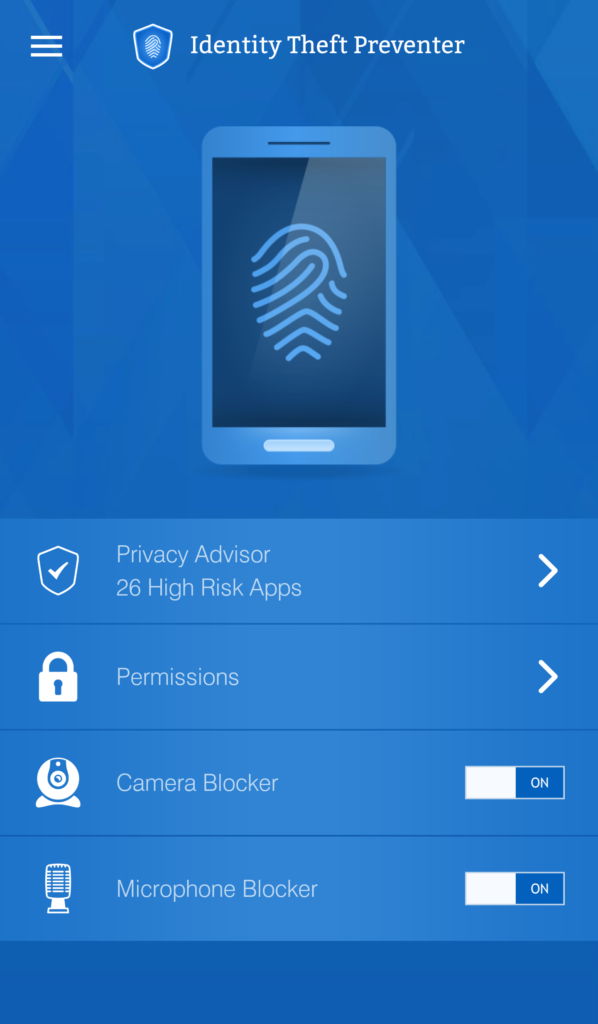
Main dashboard — Privacy Advisor shows high-risk apps
Tap Install on Google Play Store
Wait for download & installation
App icon appears in your menu
Open and start protecting your privacy
License Activation
14-day free trial — activate with your PC Identity Theft Preventer license key
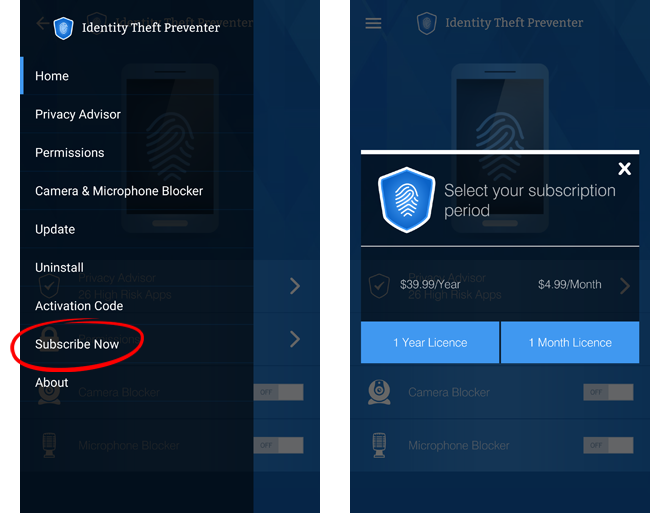
Menu options — Subscribe Now & Activation Code
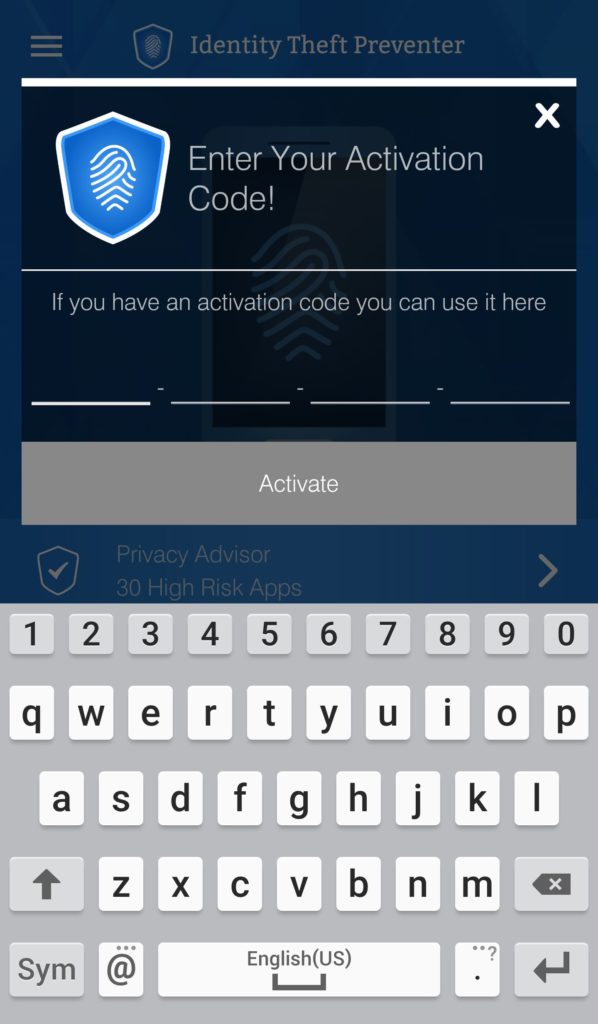
Enter your activation code
What Mobile Identity Theft Preventer Provides
Complete privacy protection for your Android device
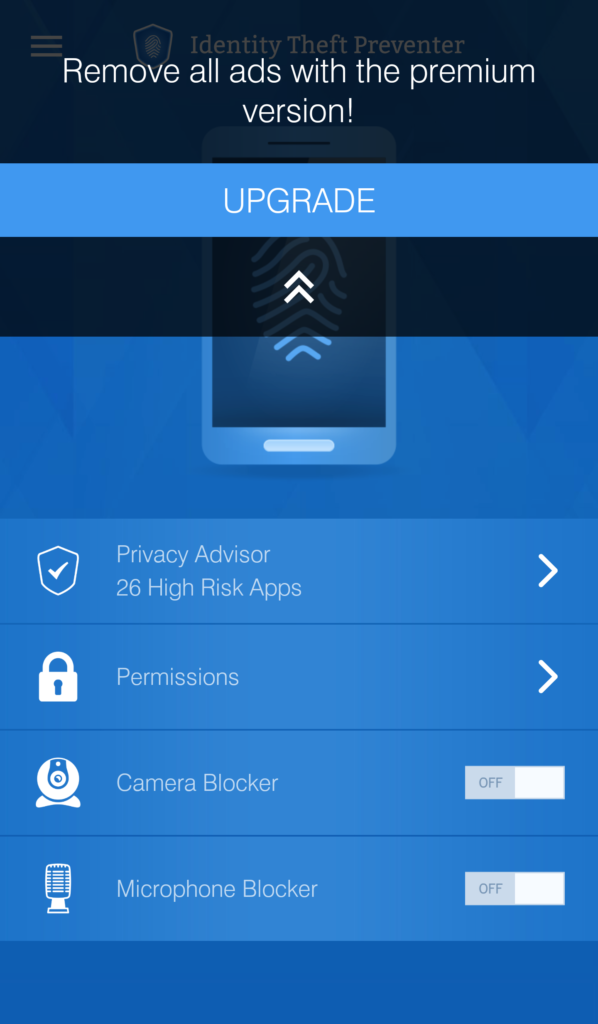
Privacy Advisor — permissions categorized by risk level
Privacy Advisor
Monitors the permissions of all apps installed on your device — categorizes them by privacy-risk level (High Risk, Medium Risk, Low Risk). Each report includes detailed information and a suggested response per case.
Permission Control
Centralizes all permissions allowing you to conveniently review and assess their validity and need. Remove each threat directly from within the interface.
Camera Blocker
Blocks any unauthorized access to your device's camera, preventing spying attempts. You can white-list specific apps you trust for full camera access.
Microphone Blocker
Blocks any unauthorized access to your device's microphone, preventing eavesdropping. Manage and authorize microphone access per app.
Low Battery Usage
Developed to have low usage toll on your phone, keeping it at peak performance in all regards to speed and battery usage.
Ad-Free Premium
Upgrade to premium version to remove all ads and unlock full protection features.
Why You Need Privacy Protection
Mobile Identity Theft Preventer is developed to provide insight into apps installed on your device. More often, applications use permissions they are not developed or authorized to have — this either signifies malware or that the application is infected.
How to Uninstall
Complete removal guide for Android devices
Launch Mobile Identity Theft Preventer from your app drawer
Located in the upper-left corner of the app
Inside the menu, press Uninstall
A sliding window appears — follow these two steps:
Click "Remove" button at the bottom of the screen to remove administrator rights of the app
You may now close the application
Go to device Settings → Apps and remove Mobile Identity Theft Preventer like any other application
Why Admin Permission?
Certain features of Mobile Identity Theft Preventer need administrator permission to function. Administrator rights give the app permission to selectively block usage of the camera and microphone per app installed.
Frequently Asked Questions
MOL VENTURE, INC. | support@shieldapps.com | 5042 Wilshire Blvd Ste 27734 Los Angeles, CA 90036
 Português
  Français
  Español
  Italiano
  Deutsch
  English