
Mobile Privacy Complete Guide
Your all-in-one resource for installing, activating, and mastering Mobile Privacy Shield on Android — monitor app permissions and protect your privacy
What is Mobile Privacy Shield?
Mobile Privacy Shield is a highly automated security application that guides users through potential risks to their privacy on smartphones. It detects malicious apps that hide behind legitimate appearances and tracks which permissions they use — helping you take back control of your personal data.
Why You Need Privacy Protection
Majority of potentially harmful apps are masked as legitimate utility applications. They perform normally while secretly using permissions they don't need — accessing your contacts, location, camera, and messages without your real consent.
Install on Android
Easy installation that takes just a few seconds
Mobile Privacy Shield Interface
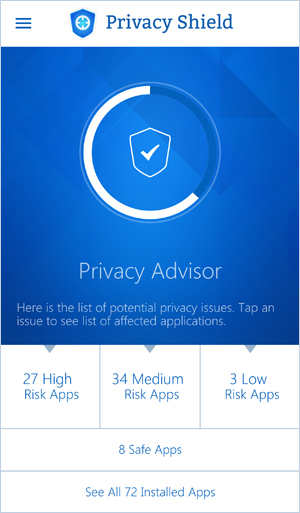
Main dashboard — overview of your privacy status
License Activation
14-day free trial — activate with your PC Privacy Shield license key
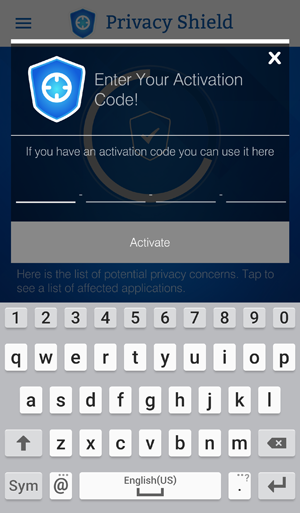
Menu → Activation Code
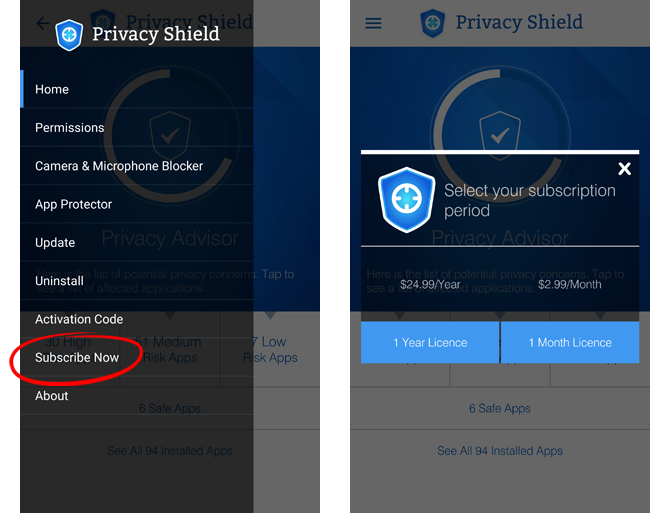
Menu → Subscribe Now
Privacy Advisor & Permission Control
Privacy Advisor
Monitors the permissions of all apps installed on your device — identifies which apps have access to your sensitive data
Permission Control
Reports which permissions have been granted to each app and allows you to choose to revoke them — take back control
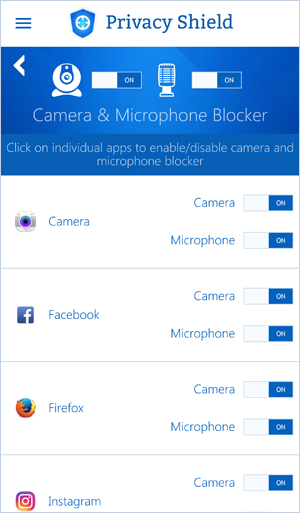
Permission analysis and control interface
How to Uninstall
Complete removal guide for Android devices
Launch Mobile Privacy Shield from your app drawer
Located in the upper-left corner of the app
Inside the menu, press Uninstall
A sliding window appears — follow these two steps:
Click "Remove" button at the bottom of the screen to remove administrator rights of the app
You may now close the application
Go to device Settings → Apps and remove Mobile Privacy Shield like any other application
Why Admin Permission?
Certain features of Mobile Privacy Shield need administrator permission to function properly
 Português
  Français
  Español
  Italiano
  Deutsch
  English